
Hello, fellow squirrels. Today, I will be talking about MFA in a nutshell.
To clear any confusion before going deeper into this nutshell is that not all MFA is 2FA (2 factor authentication), but all 2FA is MFA.
So, what is MFA?
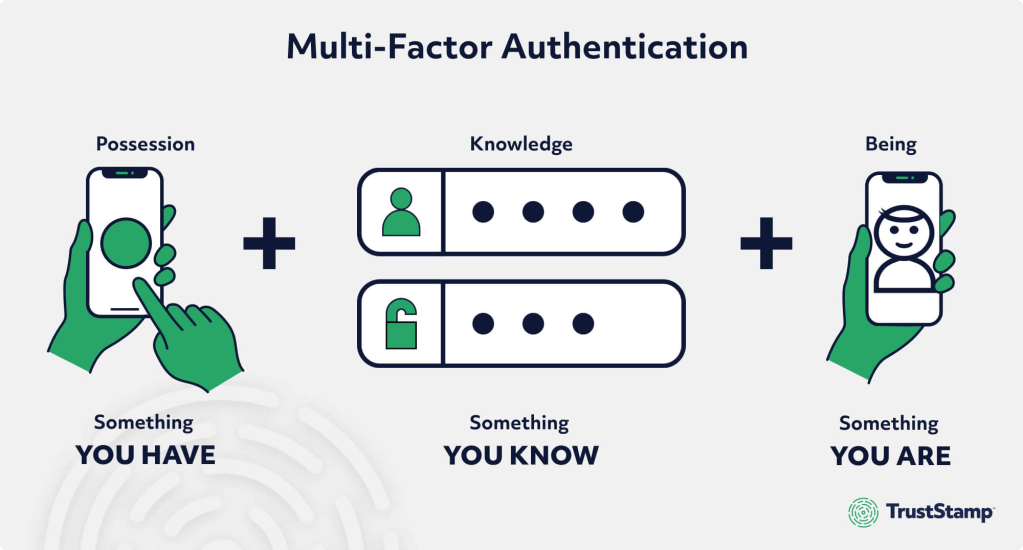
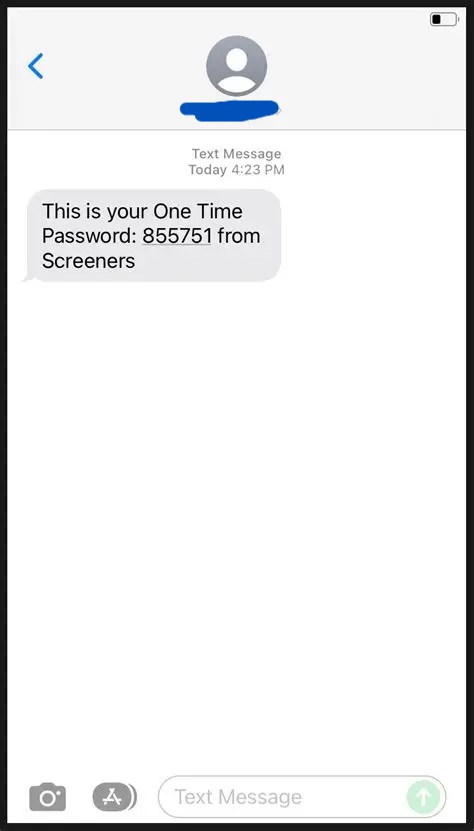
MFA is Multi-Factor Authentication. There are three factors of authentication that we use. The first factor is something we know, like a password or a PIN that you can input. The second factor that is used is something that you have, like a 6 number code sent to your phone, a security key, or a code given to you by an authentication app. The third factor is something that you are, like facial recognition or fingerprint ID.
Why is it important to have MFA?
MFA helps protect against hackers. It gives another one or two layers of protection that they will have to get through to get anything important if you have MFA installed. It also works against phishing attacks, helping prevent them from getting in. And in general, protects your important information. According to CISA, using MFA makes you 99% less likely to be hacked, which is good.
What are some MFA apps?
One type of MFA app is Authenticator Apps like Google Authenticator and Microsoft Authenticator. This gives you a time-sensitive code that you have to input to sign into the application. A different type of MFA app you can use is Biometrics, which includes fingerprint identification, facial recognition, and voice ID. This scans these identifying features and compares them to the one it has stored. A different type is Hardware Tokens, like YubiKey and RSA SecurID. This requires a fictional key to access the secure information. There are many more, and everyone has their strengths and weaknesses; it all depends on how you want to protect your information. Something is better than nothing, so even a basic MFA is better than not having it.
That’s all for today’s cyber-stuffed nutshell! Remember, staying alert is half the battle… and now you’ve got acorn-sized wisdom packed for future defense.
Optimizing Data Security with Multi-Factor Authentication Methods – Aardvark Labs
How to Set Up Multi-Factor Authentication and Safeguard Your Online Accounts | PCMag
Multifactor Authentication | Cybersecurity and Infrastructure Security Agency CISA


Leave a comment