Hello, fellow squirrels. Today, I will be opening the nutshell about Fake Webpages.
What is a Fake Webpage?
A Fake Webpage is when a chipmunk makes a webpage with a similar domain (example.com) and look to a real webpage to steal an unassuming squirrel’s information, money, and/or access.
How are they made?
First, the scamming chipmunks will get a domain that looks like a real brand. These will have misspellings, different domain endings (.com, .gov), or have hyphens or numbers in their name. After they get the name, they will mimic the webpage, copying from the logo to the navigation menus down to the product images. They generally use a phishing kit to do this. This “kit” contains fake login pages, scripts to steal credentials, and instructions for setting up the scam site. Nice for the scammers to have a guide on how to turn a birch tree into an oak tree. To host these websites, they go for cheap or anonymous hosting, meaning they either paid for a cheap domain, got the domain anonymously, or host it where laws are more lax.
How do they work?
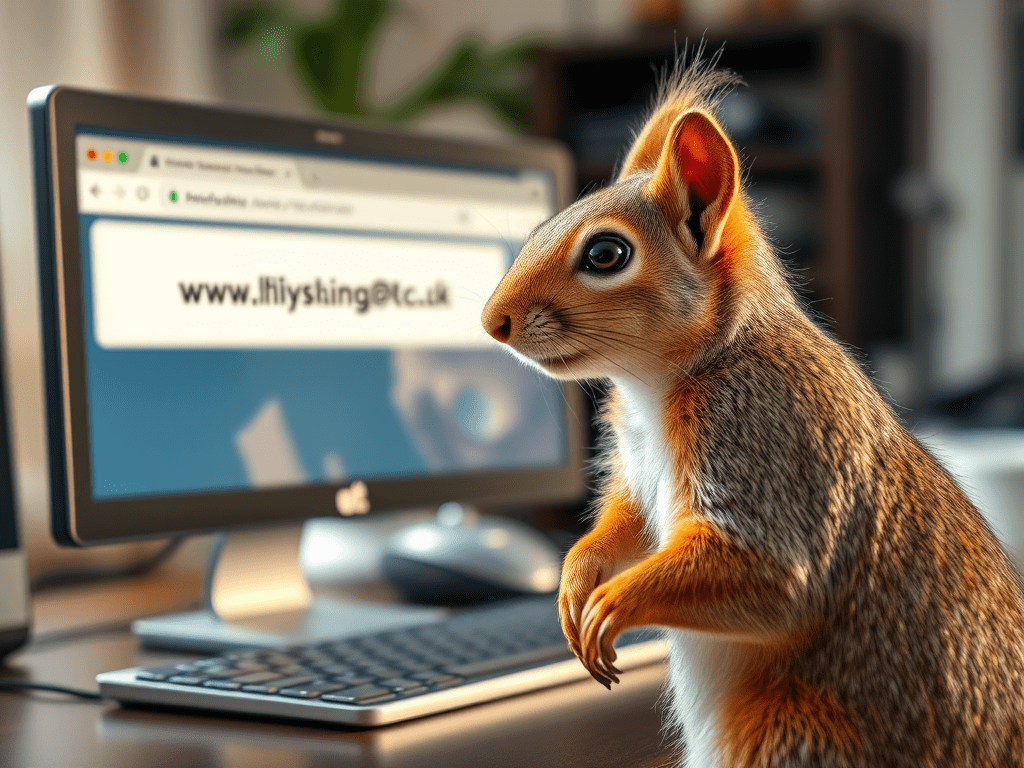
The first step is luring the poor squirrel to the website. This is done through phishing emails and texts, QR codes, social media, and search engine ads. There is also typing in the desired webpage incorrectly, which is how I found one myself. They will send you to the fake page using urgency and fear to make you type in the fake page. Everything you type on the webpage is recorded and sent to the scammer.
What can they do?
These sites are commonly known for stealing a squirrel’s login and personal information, but they do a lot more than that. Depending on what site they are mimicking, they can get your personal data, credit card numbers, banking info, and sometimes even your 2FA code. On top of the info that the squirrel gives them, the website sometimes can have malware like spyware, keyloggers, ransomware, and fake “security update” popups that will download more malware. When a site is mimicking an online store, they will take acorns and never give you what you were promised. The worse part is that it only takes you clicking on the Fake Website for it to get information from you. It will take your IP address, browser type, device details, and location data. When they get this information on you, they will sell it on dark-web marketplaces.
What to look out for!
- Don’t click on any website links from suspicious emails.
- Don’t click on links with misspelled domain names or ones with wrong domain endings.
- Look for if the site has a lock icon; if not, leave it.
- Check for poor grammar; if so, leave.
- If a site has 70%-90% sales on everything and some high-demand items in stock for cheap, it’s probably a scam.
- If there is no contact information or the contact information is off, it’s probably fake. For this one, you have to Google the contact and cross-reference with what the site gave you.
- If there are weird payment methods like asking for crypto, gift cards, or wire transfers, it’s not a real website.
- If there are a ton of pop-ups, forced downloads, or redirects, it’s a fake site.
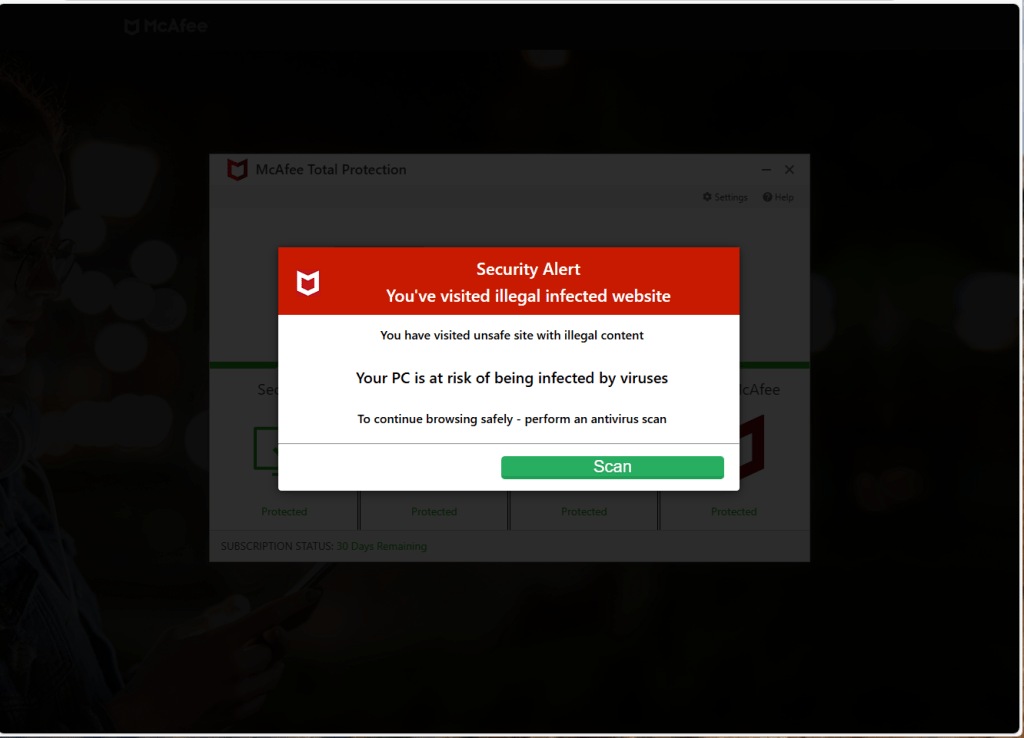
There is a huge difference between greenemploy.com vs greenemployee.com
Fake Virus Alert Trojan – http://www.greenemploy.com
greenemployee.com
Login for Greenshades powered employee portal
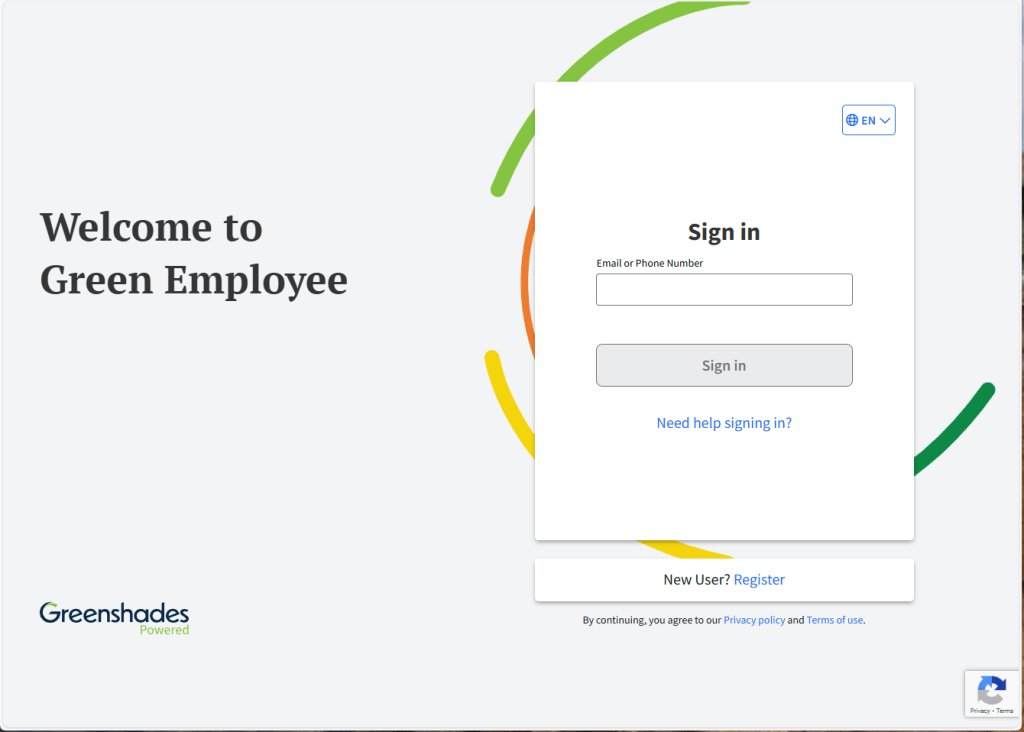
It is an easy mistake to make when you are talking about a web page.
That’s all for today’s cyber-stuffed nutshell! So, remember in this digital forest, we the squirrels need to stay alert and protect our stash, while chipmunks try to sneak in and swipe it when we are not looking.
Source:
FTC
https://consumer.ftc.gov/articles/how-recognize-and-avoid-phishing-scams
Panda Security
https://www.pandasecurity.com/en/mediacenter/security/fake-websites/
Cool Info!
A more advanced version is Homograph attack
What is a Homograph Attack? How It Works & Examples | Twingate
Typosquatting
 Code Squirrel, Cyber Security in a Nutshell
Leave a comment