Hello, fellow squirrels. Today, I will be talking about email phishing in a nutshell.
What is email phishing?
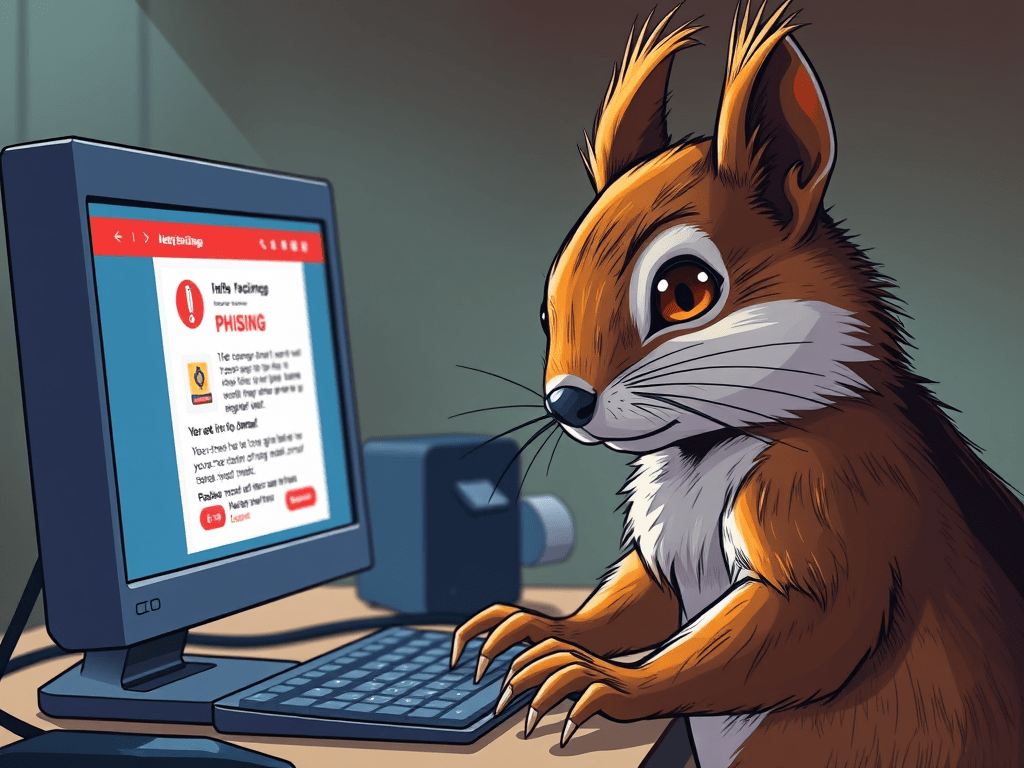
Email phishing is when scammers send messages pretending to be from legitimate companies, like Amazon, for example. These emails often include fake links or attachments designed to steal your login credentials. The scammers usually have three main goals in mind: one, to access login details for your email, bank, or social media accounts; two, to install malware or ransomware; and three, to commit identity theft or financial fraud. These attacks try to create a sense of urgency, fear, or curiosity in order to manipulate you into taking the bait. It’s like a squirrel pretending to be a nut vendor, it’s all a scam to get your stash!
How Does Email Phishing Work?
Email phishing follows a similar pattern to other types of phishing attacks. First, the attackers find a target and gather email addresses using public or breached data. Next, the scammers craft an email, mimicking legitimate senders like Amazon, PayPal, or Microsoft. They often include logos, formatting, and a sender’s name to maintain the illusion that the email is genuine. They use psychological tricks to make the message seem urgent, often implying that if you don’t act quickly, something bad will happen. When they send the message, they use spoofed or compromised email addresses to bypass spam filters.
These emails only work if you take the bait and click on the link they provide. That link might open malware designed to steal all the information it can from your device, some can even track your keystrokes and mouse movements. Alternatively, the link could lead to a fake site that looks real but is designed to steal your login info for the actual site. Once the scammers have what they want, they can do whatever they please with the stolen information. This might include selling it on the dark web, stealing your money, or ruining your social standing. It’s like a squirrel sneaking into your stash and selling your acorns to the highest bidder, sneaky and devastating!
Remember, these scammers are as crafty as a squirrel with a lockpick, so always stay vigilant!
How to Stay Safe from Email Phishing?
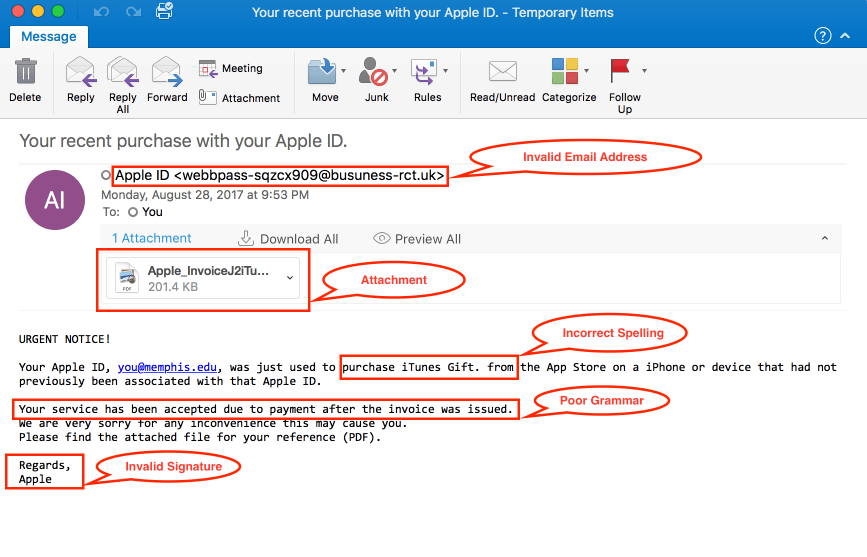
The first and most important thing I can say is: don’t click on any links from suspicious emails. Second, check the email address carefully to ensure everything is spelled correctly and that it’s coming from the right source. Also, keep your firewall and antivirus software up to date. Make sure to enable MFA (multi-factor authentication) for all important sites. Lastly, never share sensitive information over email—it’s like handing your acorns to a stranger in a trench coat!
Red Flags to Watch For!
Be wary of any email starting with a generic greeting like “Dear Customer.” Watch out for emails with poor grammar or formatting, requests for personal or financial information, or unexpected invoices and prize notifications. If it smells fishy, it’s probably a squirrel in disguise!
That’s all for today’s cyber-stuffed nutshell! Remember, staying alert is half the battle… and now you’ve got acorn-sized wisdom packed for future defense.
What Is a Phishing Email? | Microsoft Security, Phishing 101: How Phishing Attacks and Scam Emails Work – Hoxhunt, How To Recognize and Avoid Phishing Scams | Consumer Advice, What Is a Phishing Email? | Microsoft Security
 Code Squirrel, Cyber Security in a Nutshell
Leave a comment